
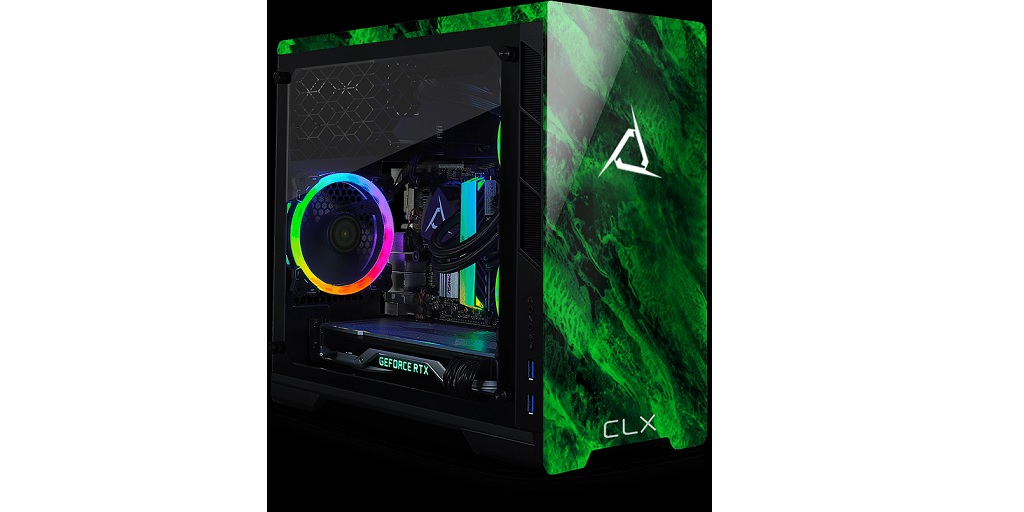
So you’ve finally decided to build your first gaming computer tower. You’ve got your parts list, your budget, and an eagerness to dive into the world of custom PC building. But hold your horses! There are a few common pitfalls that can turn this exciting project into a frustrating ordeal. Read on below for a list of these common issues, as well as how to steer clear of them:
Choosing Incompatible Components
Don’t Mismatch Your Parts
One of the biggest blunders newbies make is picking parts that don’t play nicely together. Your CPU and motherboard, for instance, need to be compatible. A cutting-edge processor won’t fit into an outdated motherboard. Similarly, ensure your RAM is suitable for your motherboard slots. Using DDR4 RAM with a motherboard that only supports DDR3 is a no-go.
The Fix: Check for Compatibility Online
There are plenty of online tools that can help you avoid this particular mistake, fortunately. CLX’s Ultimate Configurator tool, for example, allows you to build your PC virtually, ensuring that all selected components are compatible, from the case to the cooling solution. Just a few minutes spent here can save you hours of headaches later.
Ignoring Power Supply Requirements
Power Supply Unit (PSU) Mistakes
The PSU is the heart of your gaming rig, pumping the necessary power to all of your components. Underestimating your power supply needs can lead to system instability or, worse, hardware damage. If it’s too weak, you’ll experience random crashes or worse – the PC might fail to boot up entirely.
The Fix: Calculate Your Power Needs
Use PSU calculators available online to estimate your power requirements. Factor in future upgrades — leaving some headroom is wise. Investing in a reliable, branded PSU with good reviews is crucial. It’s not as flashy as a GPU, but without it, your gaming tower is a non-starter.
Skipping Cooling Solutions
Cooling Oversights
First-time builders often underestimate the importance of cooling, thinking that stock fans will do the job just fine. However, high-performance components can generate a significant amount of heat, which will, in turn, lead to throttling or overheating, harming the longevity and performance of your entire system.
The Fix: Invest in Quality Cooling
You can never go wrong with investing a bit more money towards aftermarket CPU coolers or additional case fans for your gaming computer tower. If you’re going high-end, liquid cooling solutions might also be worth exploring. Your components — and your future self — will thank you for the cooler, quieter operation.
Neglecting Cable Management
Tidy Up Those Cables
Cable management might seem like a trivial aspect of your build, but it’s actually more important than you might realize. Poor cable management can hinder airflow, leading to higher temperatures and potential issues with your hardware. It also makes it harder to take components out when necessary, such as for upgrades down the line. Finally, it just looks bad, which isn’t something you want when you’ve spent so much time and money on your rig.
The Fix: Use Cable Ties and Plan Ahead
Before securing your components, it’s always a good idea to plan your cable routes ahead of time. To keep things organized, you can also use cable ties or Velcro straps. Some cases also come with built-in cable management features such as grommets and tie-down points, so take advantage of them and utilize them to make your build both cleaner and cooler.
Building your first gaming computer tower is a rewarding experience, blending creativity with technical skills. By avoiding these common mistakes, you ensure a smoother, more enjoyable build process.
If you’d rather entrust the building of your gaming computer tower to a professional, then CLX is the way to go. Their tagline is “made by gamers, for gamers”, which means that their expert team has an intimate understanding of your needs and preferences. View their catalog of ready-to-ship PCs now, or virtually build the custom gaming PC of your dreams using the Ultimate Configurator page on their website.