
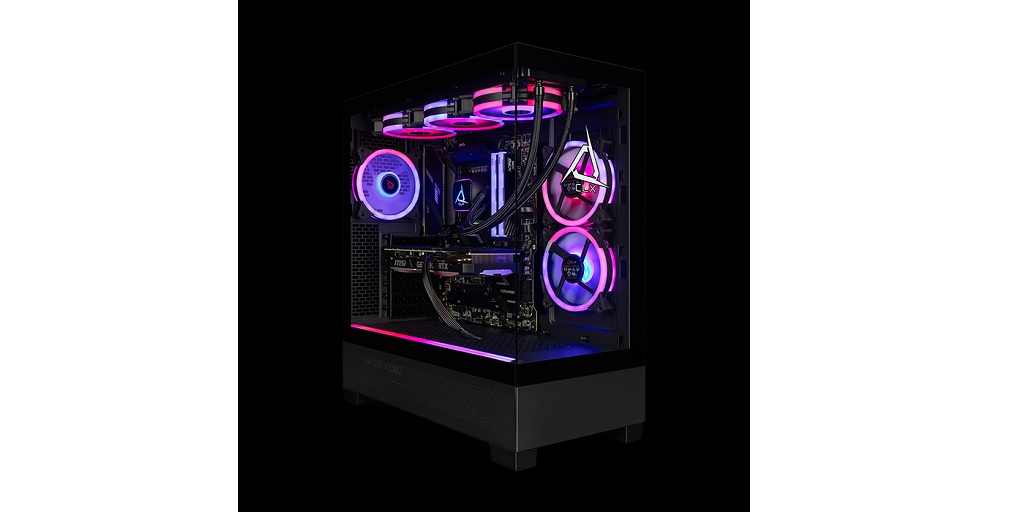
Shopping for desktop gaming PCs is simple – if you’re a tech enthusiast, that is. If you’re a first-timer or someone who doesn’t know the difference between a GPU and a PSU, though, the entire process can be nothing short of overwhelming. With all the specifications, options, and jargon, it’s easy to make mistakes that could cost you both money and performance.
Steering clear of common pitfalls can save you from buyer’s remorse later on. Here are some of the most common mistakes that many people make when shopping for desktop gaming PCs and how you can avoid them:
1. Focusing Too Much on Looks
RGB lighting and sleek cases are eye-catching, yes. They’re supposed to be! However, how your desktop gaming PC looks shouldn’t come before how it performs. After all, a killer gaming experience happens on-screen, not in the glow of your case. A fancy exterior won’t matter if your rig can’t handle the latest games.
Instead of splurging on aesthetics, prioritize putting the bulk of your budget towards hardware components like the CPU, GPU, and RAM. You can always install the RGB lighting or replace the case later on.
2. Overlooking the Importance of the GPU
The GPU (Graphics Processing Unit) or graphics card is the heart and soul of any gaming PC. It’s responsible for rendering images, animations, and video for your favorite games. A powerful GPU can significantly enhance the performance of a gaming PC, allowing for higher frame rates and better graphics settings.
Some people make the mistake of either skimping on it or overpaying for unnecessary power. That’s why it’s important to assess what types of games you plan on playing before putting the money down for a new desktop gaming PC. If you’re into graphically intense titles like Cyberpunk 2077 or Call of Duty, invest in a mid-to-high-end GPU. But if your gaming habits lean more toward indie or older games, a less powerful card will do the job just fine. Do your research to find the sweet spot for your budget and gaming needs.
3. Forgetting About Cooling and Airflow
Running the powerful hardware of a gaming PC means having to deal with the heat that its components can generate. Overheating can wreck these aforementioned components and even shorten your PC’s lifespan.
Many beginners overlook the importance of proper airflow and cooling solutions. When buying or building your PC, ensure the case has adequate ventilation and space for airflow. Additionally, consider investing in high-quality fans or liquid cooling systems if you’re going for a high-performance build.
4. Skimping on Power Supply Quality
The PSU (Power Supply Unit), often referred to simply as the power supply, isn’t as glamorous as other components in a gaming PC build, such as the GPU or CPU (Central Processing Unit). For this reason, it often gets ignored or shunted to the bottom of the list. However, it’s one of the most critical parts of a gaming PC. A cheap or underpowered PSU can cause crashes, damage your components, or fail altogether.
Always opt for a reliable, high-quality PSU from a reputable brand. Additionally, don’t forget to check the wattage requirements of your build. A little extra power headroom is always a good idea, especially if you plan to upgrade later.
5. Ignoring Future Upgradability
One of the best things about investing in a desktop gaming PC over a gaming laptop is the ability to upgrade your components later, and you should take full advantage of it. Many people make the mistake of not considering future upgrades when choosing their components.
Look for a motherboard with extra RAM slots, support for newer CPUs, and room for additional storage drives. Planning ahead will save you the hassle and cost of a complete overhaul later on.
Find Excellent Desktop Gaming PCs on CLX Now
CLX is the best place to shop for desktop gaming PCs. They carry an extensive selection of ready-to-ship systems, put together by gamers for gamers just like you. Visit the CLX website now to view their entire catalog, or virtually build your own custom gaming PC using their Ultimate Configurator.
