
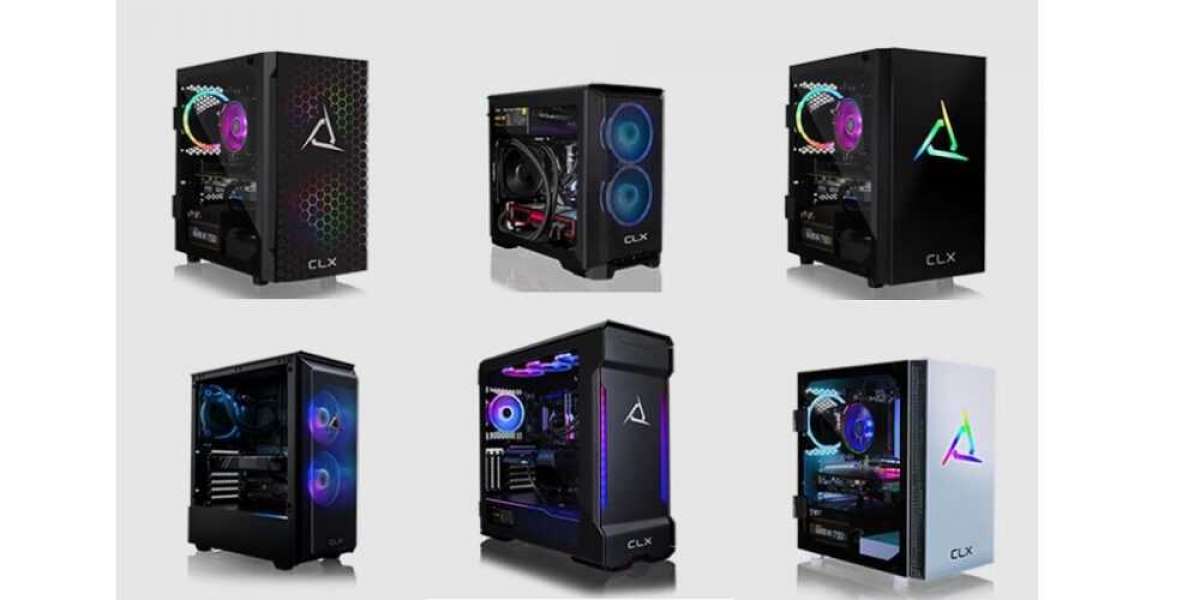
Congratulations on your new gaming PC! Whether you are a long-time PC gamer or just getting started, there are a few important things you need to do when you first receive your new system. Here are a few of the essential steps you need to take to get your gaming PCs up and running smoothly.
Check the hardware
Before you start using your new gaming PC, it is important to inspect the hardware to make sure everything is working properly. Check that all the components are properly installed and securely fastened, and that all the cables are plugged in correctly. This includes the graphics card, RAM, CPU, and all other peripherals.
Most issues with regards to components not being plugged in correctly can be easily fixed, and you can reseat any loose connectors yourself. However, if you’re not confident in your ability to handle sensitive components, you may want to contact the system integrator (SI) that you bought your gaming PC from and receive guidance from them.
Buying gaming PCs from CLX can take a lot of the worry out of these situations. Every system that you purchase from them comes with free technical support for life. You can easily reach out to their customer service representatives by phone, text, or email.
Update Windows
Updating Windows is one of the first things that you should do after turning on your new gaming PC. This ensures that you have the latest security patches and bug fixes installed.
To update Windows on Windows 11, simply go to Setttings and click on Windows Update on the top right. On the next screen, you click on “Check for updates”. Once the updates are installed, allow your computer to restart.
Install drivers
Next, you need to install the drivers for all your hardware components. These are the software programs that allow your computer to communicate with each device. You can usually find the drivers on the manufacturer’s website or on a CD that came with your hardware. Install each driver one by one, and restart your computer after each installation.
Here, again, CLX comes to the rescue. Gaming PCs that have been purchased from CLX already come with all the drivers pre-installed, as they do this during the testing phase.
Download essential programs
Most gaming PCs will only come with Windows pre-installed. This means that you’ll have to install your other favorite programs and applications yourself, including web browsers, media players, apps for streaming and chatting, as well as your games. If you plan on using your gaming PC for school or work, you may also want to install an office suite.
There are many free and paid programs available, but it’s best to go to reputable sources to ensure that you are downloading safe and reliable software.
Adjust power settings
Your new gaming PC may have default power settings that are not optimal for gaming. These power settings can affect the performance of your PC, and may need to be manually adjusted.
Modify the power settings to prioritize performance over power consumption. You can do this in the Windows power options or through your graphics card software.
Optimize performance
To get the best performance out of your new gaming PC, you can optimize it by disabling unnecessary programs and services, tweaking settings, and overclocking your hardware. However, be careful when overclocking and follow the instructions carefully to avoid damaging your hardware.
Configure your peripherals
To interact with your gaming PC, you’ll need peripherals such as a keyboard, mouse, and headset. When you first plug them in, you’ll want to configure these devices to your liking by adjusting the settings in the manufacturer’s software or through the Windows settings. This can include changing the key bindings, mouse sensitivity, and sound settings so that they’re exactly how you want them to be.
Customize your settings
Your new gaming PC may come with default settings that are not optimal for your preferences. Take the time to customize your settings to get the best experience. This can include adjusting the graphics settings in your games, changing the desktop wallpaper, and setting up your preferred applications to launch at startup.
Setting up a new gaming PC can seem like an overwhelming task at first. Follow these steps today to ensure that you get the best experience possible!

